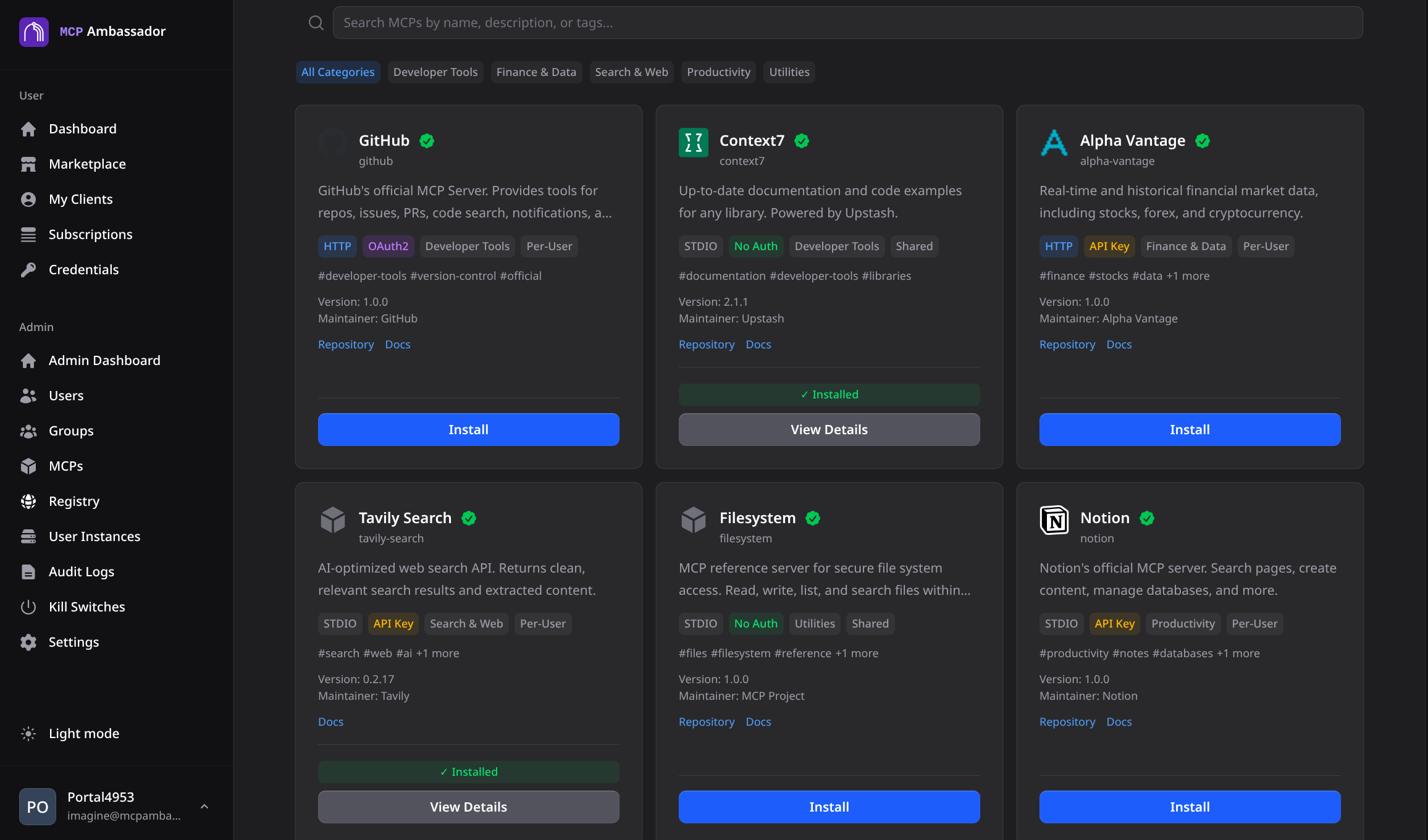
The MCP Ambassador community registry ships spawn commands, environment variable schemas, and tool metadata for 38+ popular MCP servers. Admins add them to the catalog in minutes — no writing spawn commands or figuring out environment variable names from scratch.
Browse 38+ pre-configured MCP servers organized by category. Add any to your catalog with one click. How to use the registry Log in to the Admin UI Navigate to MCP Catalog → Add from Registry Browse or search the registry Click Add to Catalog — spawn command and env vars are pre-filled Optionally edit the configuration (e.g., add your API key) Click Validate to verify connectivity and fetch tool list Click Publish and assign to groups Registry contents AI & Search MCP Description Credentials tavily-searchReal-time web search optimized for AI TAVILY_API_KEYbrave-searchWeb and local search via Brave Search API BRAVE_API_KEYexaNeural search engine for AI applications EXA_API_KEY
MCP Description Credentials githubGitHub API — search code, manage PRs, issues GITHUB_PERSONAL_ACCESS_TOKENgitlabGitLab API — projects, MRs, pipelines GITLAB_PERSONAL_ACCESS_TOKENsequential-thinkingDynamic, reflective problem-solving None mermaidGenerate Mermaid diagrams from descriptions None
Data & Databases MCP Description Credentials postgresQuery and inspect PostgreSQL databases DATABASE_URLsqliteRead/write SQLite database files None (file path) mongodbQuery MongoDB collections MONGODB_URIsupabaseSupabase database and storage SUPABASE_URL, SUPABASE_KEY
Documents MCP Description Credentials markitdownConvert any document to Markdown None google-driveRead and manage Google Drive files OAuth credentials notionRead and write Notion pages and databases NOTION_API_KEY
Web Automation MCP Description Credentials fetchFetch and parse web content None firecrawlCrawl and scrape websites FIRECRAWL_API_KEYpuppeteerBrowser automation with Puppeteer None (requires Chrome) playwrightBrowser automation with Playwright None (requires browsers)
Cloud & Infrastructure MCP Description Credentials cloudflareManage Cloudflare zones, DNS, Workers CLOUDFLARE_API_TOKENaws-kb-retrievalQuery AWS Knowledge Base (Bedrock) AWS credentials dockerManage Docker containers and images Docker socket access
Business MCP Description Credentials stripeStripe payments, customers, subscriptions STRIPE_API_KEYmondayMonday.com project management MONDAY_API_KEYtodoistTodoist task management TODOIST_API_TOKENzapierTrigger Zapier automations ZAPIER_API_KEYfigmaFigma design files and components FIGMA_ACCESS_TOKENslackSend messages and manage Slack SLACK_BOT_TOKENlinearLinear issue tracking and projects LINEAR_API_KEY
Monitoring MCP Description Credentials grafanaQuery Grafana dashboards and alerts GRAFANA_URL, GRAFANA_API_KEYsentryQuery Sentry errors and events SENTRY_AUTH_TOKEN
Utility MCP Description Credentials timeCurrent time and timezone conversions None memoryPersistent key-value memory for agents None google-mapsMaps, geocoding, directions GOOGLE_MAPS_API_KEYfilesystemRead/write local filesystem None (path-restricted)
Contributing to the registry The registry is maintained in the community-registry
To add an MCP to the registry:
Fork the repository Add a YAML definition for your MCP in the registry/ directory Include: name, description, transport type, spawn command, environment variable definitions, and tool descriptions Submit a pull request Registry entries are community-maintained. The maintainers review for accuracy and security before merging.