User Guide
Marketplace & MCPs
The marketplace is a self-service catalog where users discover and subscribe to MCPs that their admin has published.
How it works
Admins add MCPs to the server catalog and assign them to groups.
Users browse the marketplace, subscribe to the MCPs they need, provide any required credentials, and choose which tools to enable.
Ambassador Clients receive a personalized tool catalog based on the user's subscriptions and per-client tool selection.
Browsing the marketplace
- Log in to the User Portal at
https://your-server:9443 - Navigate to Marketplace
- Browse available MCPs — organized by category, with descriptions and tool lists
- Click an MCP card to see full details: tools provided, required credentials, documentation
Only MCPs published by an admin and assigned to groups you belong to appear in your marketplace.
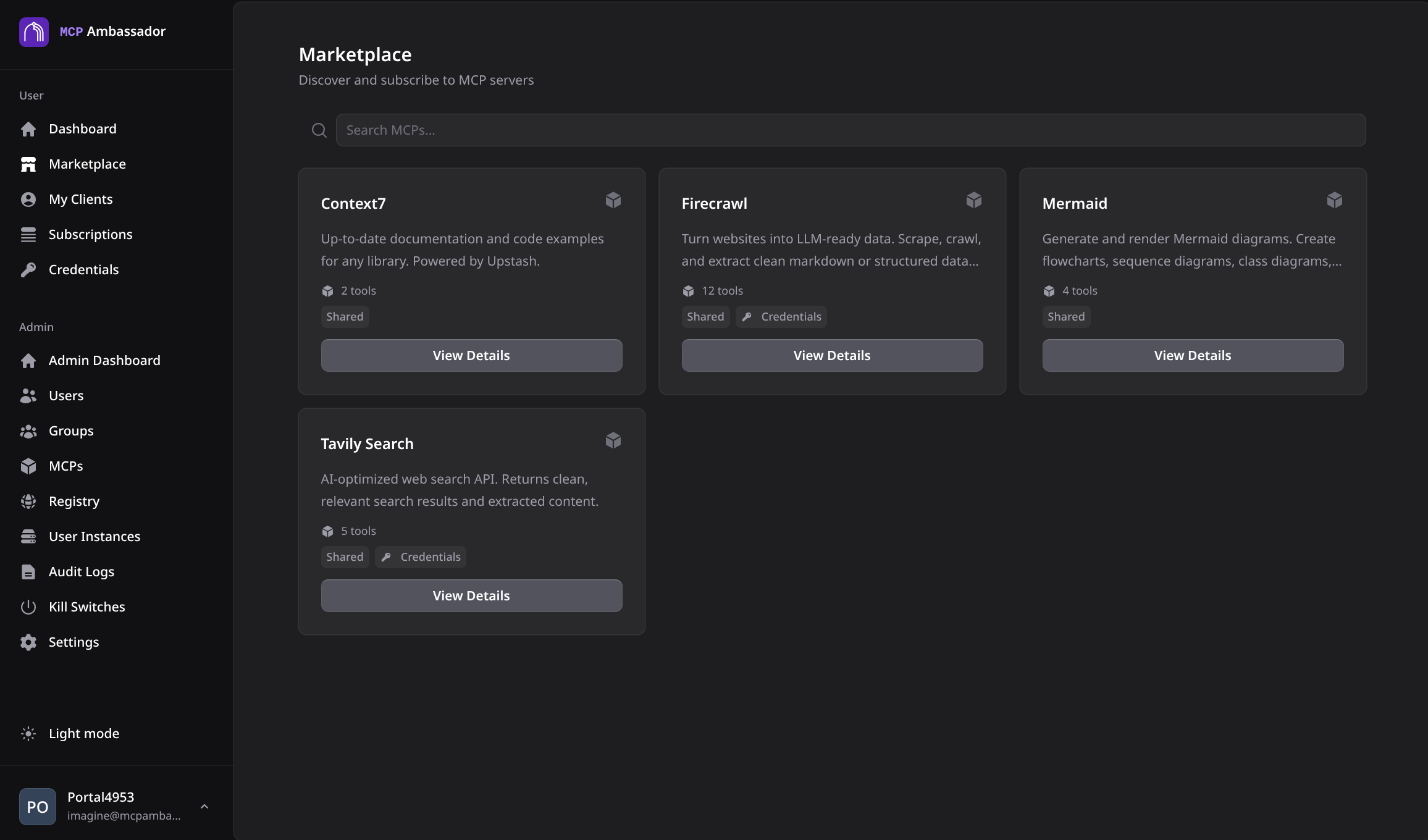
Subscribing to an MCP
- Click Subscribe on the MCP card
- If the MCP requires credentials (e.g., an API key), enter them in the credential form
- Choose which tools to enable (all enabled by default)
- Click Subscribe
Your credentials are encrypted using AES-256-GCM with HKDF key derivation before storage. See Credential Vault.
Credential-free MCPs
Some MCPs require no credentials (e.g., fetch, time, memory, sequential-thinking). Subscribe with one click.
Credential-required MCPs
MCPs that call external APIs (e.g., GitHub, Slack, Stripe) require an API key specific to your account. These are stored in your credential vault, not shared with other users.
Viewing your subscriptions
Navigate to My Subscriptions to see:
- All active subscriptions
- Which tools are enabled per subscription
- Credential status (configured / missing)
- Last tool invocation timestamp per MCP
Updating a subscription
- Navigate to My Subscriptions → select the subscription
- Update credentials or change tool selection
- Save
Tool selection changes take effect immediately on the Ambassador Client's next catalog refresh (triggered by the heartbeat).
Unsubscribing
- Navigate to My Subscriptions → select the subscription
- Click Unsubscribe
Your credentials for that MCP are deleted from the vault. The tools are removed from your catalog immediately.
Via API
Browse marketplace
curl -k https://localhost:8443/v1/marketplace \
  -H "X-Session-Token: amb_st_your_token"
Subscribe
curl -k -X POST https://localhost:8443/v1/subscriptions \
  -H "X-Session-Token: amb_st_your_token" \
  -H "Content-Type: application/json" \
  -d '{
    "mcp_id": "mcp_github_uuid",
    "credentials": {
      "GITHUB_PERSONAL_ACCESS_TOKEN": "ghp_your_token"
    },
    "enabled_tools": ["github.search_code", "github.list_issues"]
  }'
List subscriptions
curl -k https://localhost:8443/v1/subscriptions \
  -H "X-Session-Token: amb_st_your_token"
The tool catalog
When the Ambassador Client connects, it fetches the full personalized tool catalog: all tools from all active subscriptions, filtered to the tools enabled for this specific client.
The AI tool (Claude, VS Code, etc.) sees exactly this list — no more, no less. Tools from different MCPs are presented together, prefixed by MCP name (e.g., github.search_code, slack.send_message).