Admin Guide
Kill Switches
Kill switches let admins instantly disable a specific tool or an entire MCP across all users and clients — no redeployment, no config changes, no client restarts required.
Why kill switches?
When an MCP tool is behaving unexpectedly or a security issue is discovered, you need to stop it immediately:
- An AI agent is making too many API calls via the Stripe MCP
- A GitHub tool is touching repositories it shouldn't
- A newly published tool has a bug
Kill switches stop the tool within milliseconds of activation, across all active sessions.
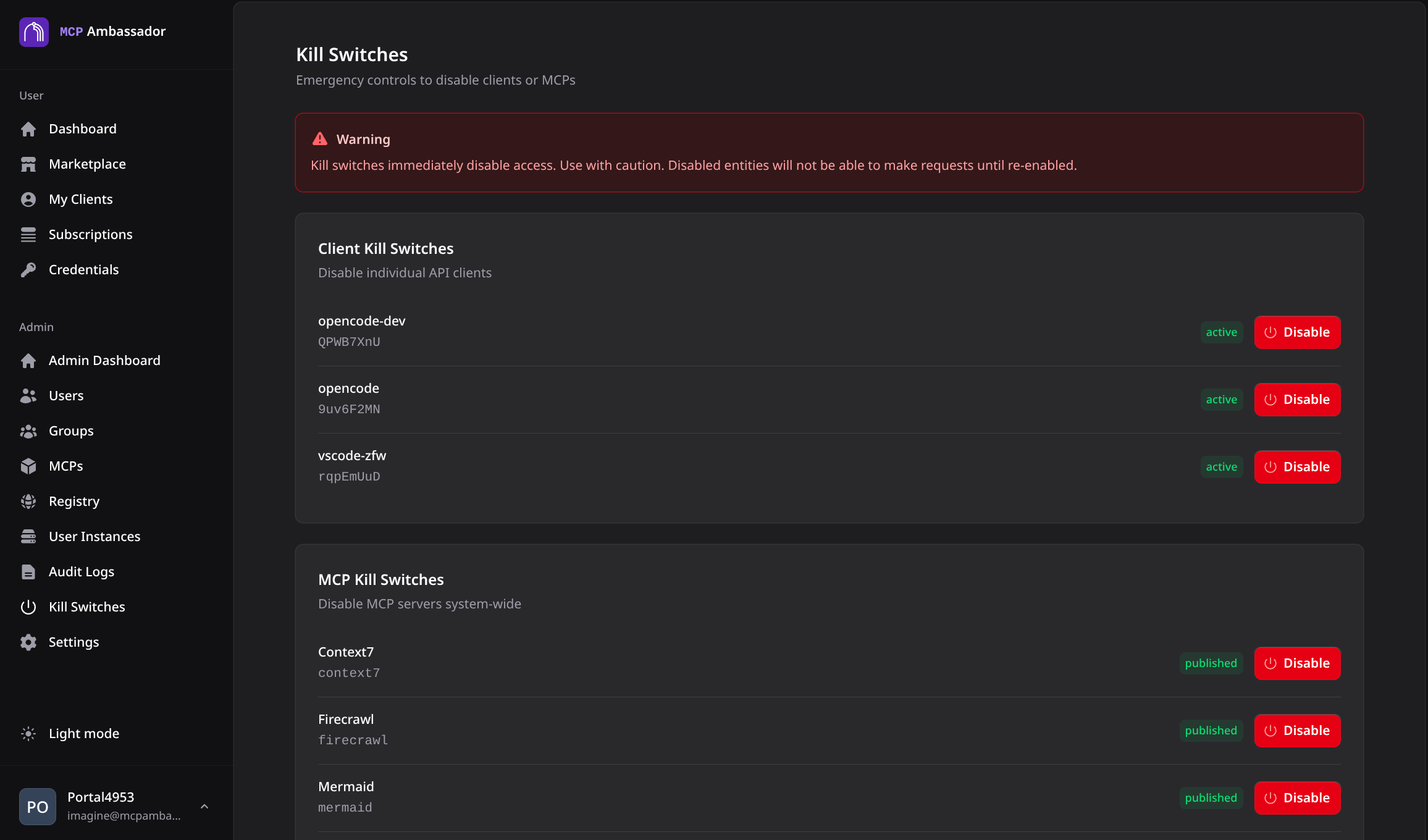
Tool-level kill switch
Disables a specific tool within an MCP while leaving other tools operational.
Via Admin UI
- Navigate to MCP Catalog → select MCP
- Find the tool in the tool list
- Toggle Kill Switch → confirm
Via Admin API
# Disable a specific tool
curl -k -b cookies.txt \
  -X PUT https://localhost:9443/v1/admin/mcps/:mcp_id/tools/:tool_name/kill \
  -H "Content-Type: application/json" \
  -d '{"active": true, "reason": "Investigating unexpected behavior"}'

# Re-enable the tool
curl -k -b cookies.txt \
  -X PUT https://localhost:9443/v1/admin/mcps/:mcp_id/tools/:tool_name/kill \
  -H "Content-Type: application/json" \
  -d '{"active": false}'
When a kill switch is active, calls to that tool return a 403 Forbidden response explaining the tool is disabled.
MCP-level kill switch
Disables the entire MCP — all tools — across all users.
Via Admin API
# Disable entire MCP
curl -k -b cookies.txt \
  -X PUT https://localhost:9443/v1/admin/mcps/:id/kill \
  -H "Content-Type: application/json" \
  -d '{"active": true, "reason": "Security incident — investigating"}'

# Re-enable
curl -k -b cookies.txt \
  -X PUT https://localhost:9443/v1/admin/mcps/:id/kill \
  -H "Content-Type: application/json" \
  -d '{"active": false}'
Kill switch vs archive
| Kill Switch | Archive | |
|---|---|---|
| Effect | Blocks tool calls; MCP stays in catalog | Removes MCP from catalog and marketplace |
| Reversibility | Toggle on/off instantly | Requires re-publish |
| User subscriptions | Preserved | Lost |
| Audit history | Preserved | Preserved |
| Use case | Temporary disable, incident response | Permanent removal |
Use a kill switch for operational incidents; use archiving for removing an MCP permanently.
Audit logging
Every kill switch activation and deactivation is logged in the audit trail with:
- Admin who performed the action
- Timestamp
- Reason provided (if any)
- Tool or MCP affected
Tool calls blocked by an active kill switch are also logged as tool_blocked events.
Client behavior
When a kill switch fires, the next tool call from any client receives a 403 response. The Ambassador Client propagates this error to the AI tool.
The tool catalog is updated on the client's next heartbeat refresh — the killed tool is marked as unavailable and removed from the tool list presented to the AI.
Kill switch SSE push (real-time client notification without waiting for a heartbeat) is planned for v1.1.